Schemas & your data model
A schema describes the shape of your data so Pulse can validate it and trust it. It tells Pulse what a record looks like — which fields it contains, what kind of values they hold, and which field identifies the person. With that description in place, Pulse can keep your data consistent, link records correctly, and build accurate profiles.
You only describe your data once. After that, every record that lands does so against a schema, so nothing arrives in a shape Pulse doesn't understand.
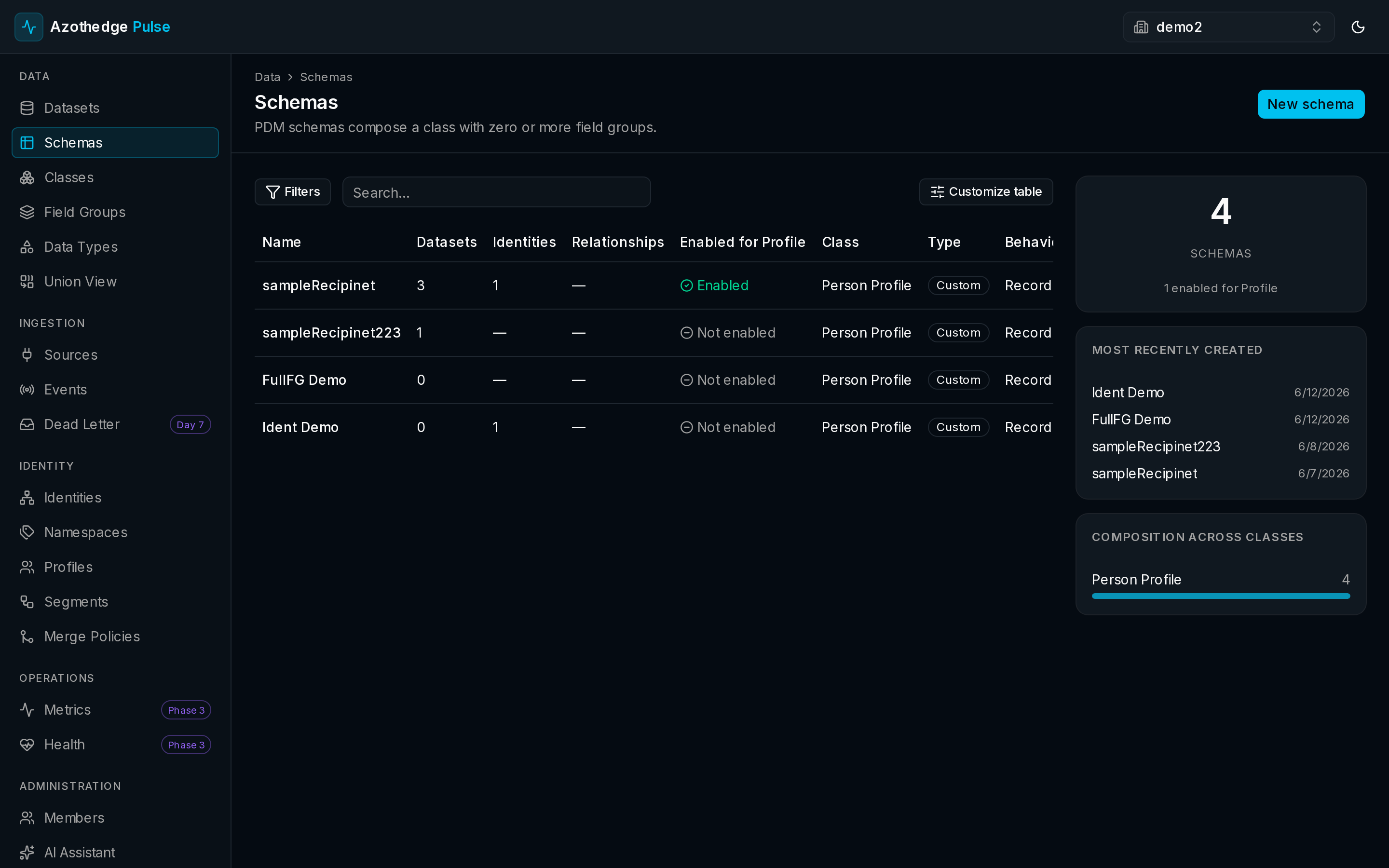
Why describing your data matters
When data arrives from many systems, every system has its own idea of what a "customer" looks like. One sends a first name, another a forename; one has a phone number, another doesn't. Left alone, that mess makes profiles unreliable.
A schema fixes the shape up front. It lets Pulse:
- Validate records as they arrive, so bad data doesn't quietly pollute your profiles.
- Know which field is the identity, so records about the same person can be linked.
- Stay consistent across every source that feeds the same kind of data.
The building blocks of a schema
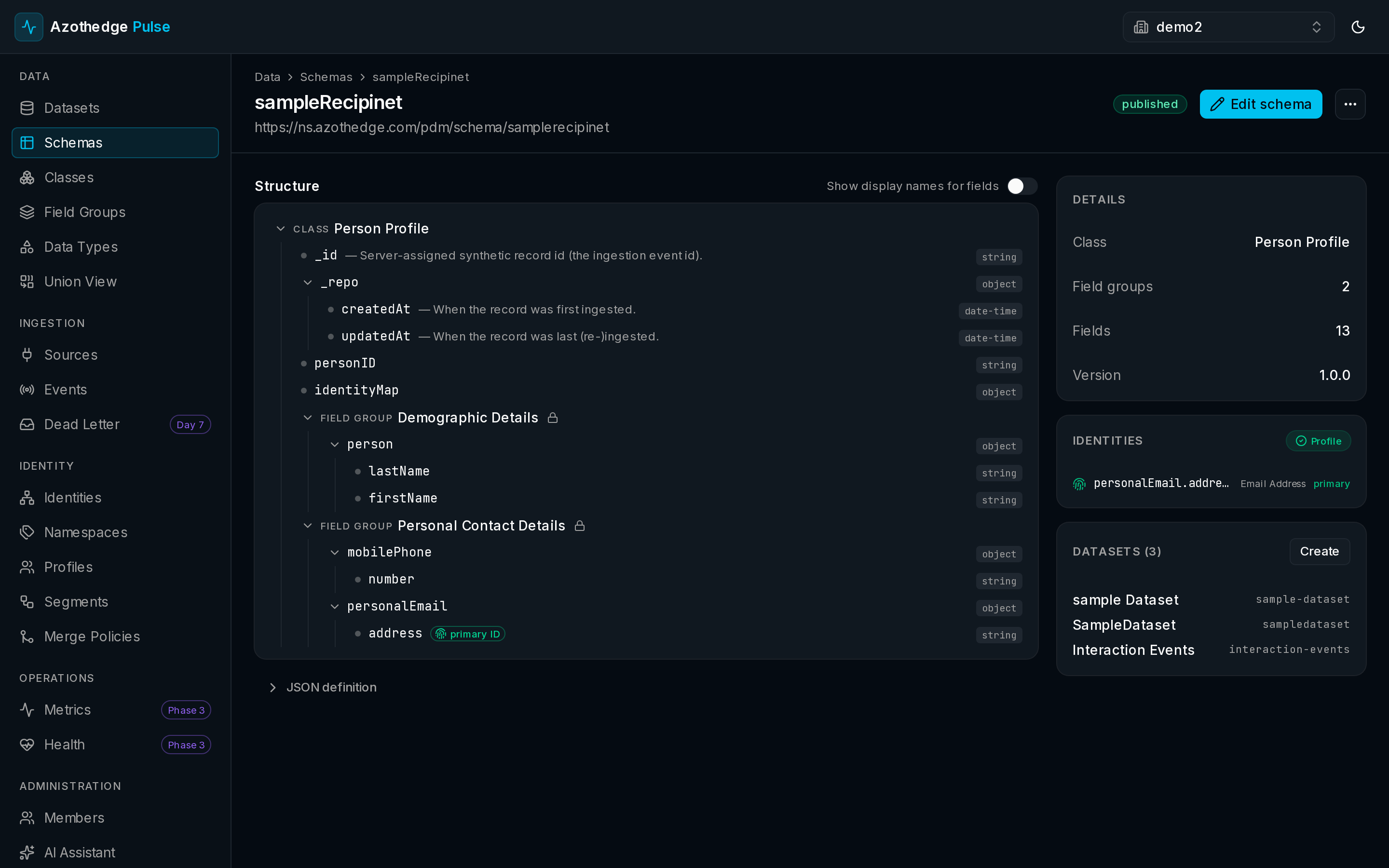
A schema is assembled from a few reusable parts. You don't start from a blank page — you pick the pieces you need.
| Building block | What it is |
|---|---|
| Class | The kind of thing the schema describes — for example a person (a profile) or an event (an interaction). The class sets the foundation. |
| Field group | A named bundle of related fields, such as contact details or loyalty information. You add the field groups you need to build out the schema. |
| Data type | A reusable building block for a single piece of information — like an address or a phone number — that field groups are made from. |
| Identity field | The field you mark as identifying the person, such as an email address or a loyalty ID. This is what lets Pulse link records together. |
Reuse over reinvention
Field groups and data types are designed to be reused across many schemas. Define contact details once and you can drop it into every schema that needs it — and Pulse ships with a large library of ready-made field groups to start from.
Marking the identity
One choice in every schema matters more than the rest: which field is the identity. This is the field that says who this record is about — an email address, a phone number, a customer ID.
When you mark an identity field, you give Pulse what it needs to link records that belong to the same person, even when they come from different systems. This is the foundation of unified profiles — read more in Identity.
The schema lifecycle
A schema moves through a simple, predictable lifecycle:
- Draft — you're still building and refining it. Nothing depends on it yet, so you can change it freely.
- Published — the schema is live and ready to receive data. To keep your data consistent, a published schema is locked so its meaning doesn't shift underneath you. You can still add new fields as your needs grow — published just means existing fields stay stable.
- Archived — you've retired the schema. Its history is preserved, but it's no longer used for new data.
This lifecycle protects you: once data is flowing against a published schema, you never have to worry that a casual edit will break everything downstream.
Get started
When you're ready to describe your own data, follow the step-by-step guide: