Datasets
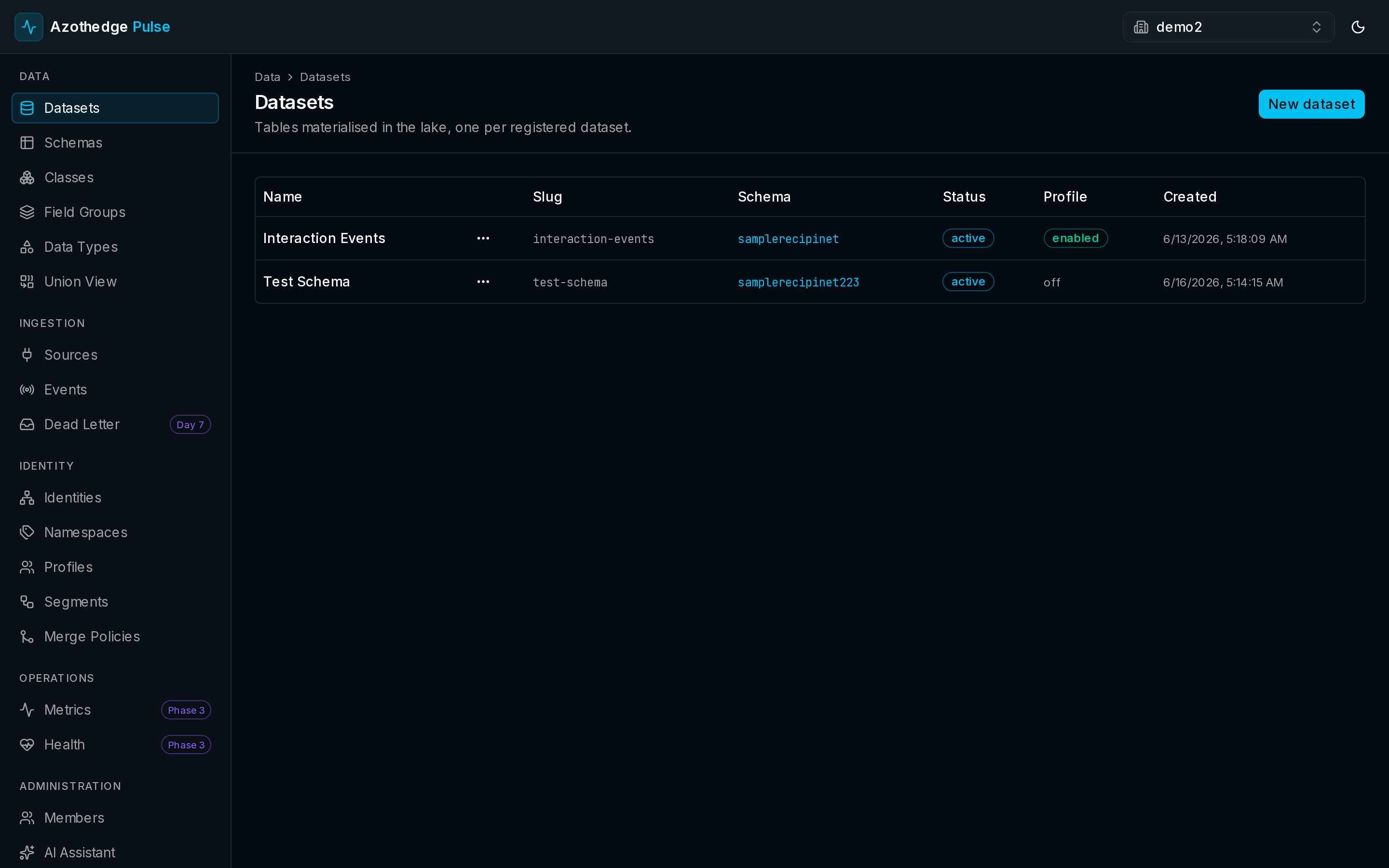
A dataset is where your records land and are stored securely. Each dataset holds one kind of data — your customers, your orders, your web events — and gives you a place to browse, preview, and manage it. When you connect a source, the data it brings in lands in a dataset.
Datasets are the bridge between raw incoming data and the unified customer view. They keep your data organized and stored privately to your workspace until you're ready to put it to work.
Every dataset has a schema
A dataset is always bound to a schema — the description of the shape its records take. The schema is what lets Pulse validate each record as it lands, so a dataset never fills up with data it can't trust. If you haven't met schemas yet, see Schemas & your data model.
Because the schema is fixed for a dataset, everything inside stays consistent. You always know what a record in that dataset looks like.
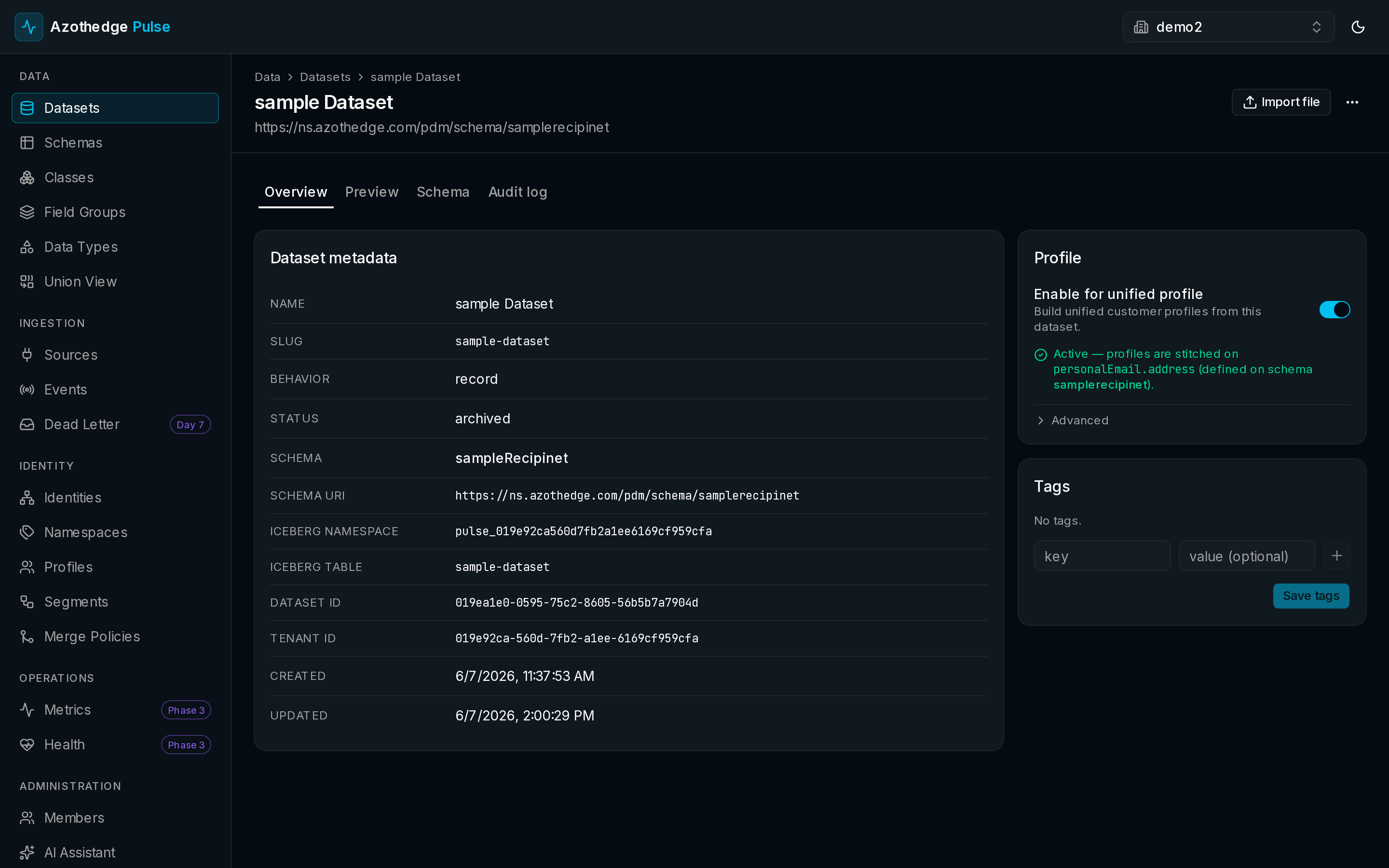
Enable for unified profile
By default, a dataset simply stores your data. To make its records part of the unified customer view, you turn on Enable for unified profile. Once enabled, the records in that dataset help build customer profiles — they contribute to the single, real-time picture Pulse assembles for each person.
This gives you control. You decide which data should shape your customers and which should just be kept on hand. You can turn this on for a dataset at any time.
Only what you choose shapes profiles
A record only contributes to profiles when its dataset is enabled for unified profile. Storing data and using it for profiles are two separate decisions, and you make both.
Preview your records
You don't have to take it on faith that data arrived. Open any dataset and preview its records to see exactly what landed — the actual values, laid out in columns you can scan. It's the quickest way to confirm a source is flowing and the data looks right.
Organize with tags
You can add tags to a dataset to keep things tidy as your workspace grows — for example, marking which team owns it or which project it belongs to. Tags make datasets easy to find and group later.
The dataset lifecycle
A dataset moves through a few simple states:
- Active — the dataset is in use and accepting new records.
- Paused — you've temporarily stopped new records from landing, without losing anything already stored. Useful while you make changes.
- Archived — you've retired the dataset. Its data and history are preserved, but it's no longer in active use.
Manage your datasets
For step-by-step help enabling profiles, previewing records, tagging, and pausing or archiving:
Next steps
-
Customer profiles
See how enabled datasets become a single view of each customer.
-
Schemas & your data model
Understand the schema every dataset is built on.