Customer profiles
A profile is a single, unified view of one customer. Pulse builds it for you automatically: as data arrives from your different channels and systems, Pulse links the records that belong to the same person and assembles them into one continuously updated picture — who they are, how to reach them, and what they've done.
You never build a profile by hand. You bring in your data and describe its shape; Pulse does the matching and the assembly, in real time.
Why profiles matter
Most companies have customer data scattered across many tools — your store, your email platform, your support desk, your CRM. The same person looks like a different customer in each one. That makes it hard to answer simple questions like "how many real customers do we have?" or "has this person already bought from us?"
A profile solves that. By uniting every record about a person into one view, Pulse lets you:
- See the whole customer, not a fragment in one tool.
- Build accurate audiences based on everything you know, not just one channel.
- Avoid double-counting the same person who appears in several systems.
What's in a profile
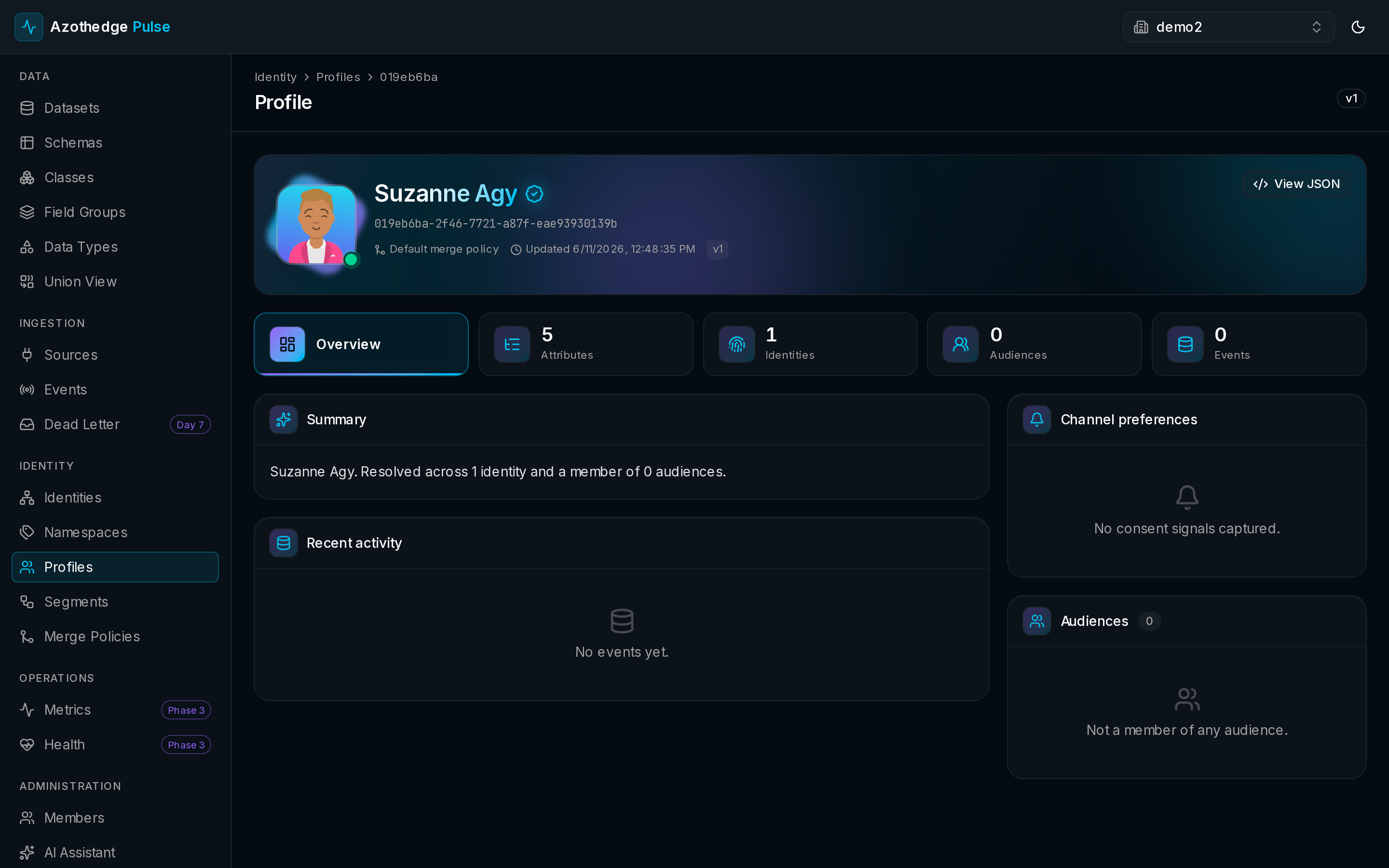
Open any profile to see it organized into a few simple areas:
| Area | What it shows |
|---|---|
| Overview | A summary of the customer and their most recent activity. |
| Attributes | What you know about the person — name, location, preferences, and any other fields you collect. |
| Identities | The identifiers that have been linked to this person (for example an email address, a phone number, or a loyalty ID). |
| Audiences | The audiences this customer currently belongs to. |
| Activity | The events and interactions Pulse has recorded for them. |
One person, many identifiers
A customer might be known by several identifiers — an email today, a phone number tomorrow, an anonymous app visit before they ever signed up. Pulse stitches these together so they all point to the same profile. Learn more in How identity works.
How profiles stay up to date
Profiles update as data arrives — there's no nightly batch you have to wait for. When a new event or attribute comes in, the matching profile reflects it within moments. Pulse also runs a regular background check to keep every profile consistent and accurate over time, so what you see always reflects your data.
Where profiles come from
A record only contributes to profiles when its dataset is enabled for unified profile. This gives you control: you decide which of your data should shape the customer view and which should just be stored. You can turn this on for a dataset at any time — see Manage datasets.
Find and view a profile
To explore your customers:
- In the left navigation, select Profiles.
- Browse the list, or search for a specific person.
- Select a profile to open the full view.
For step-by-step help, see View a customer profile.
Next steps
-
How identity works
Understand how Pulse decides which records belong to the same person.
-
Build an audience
Turn what you know about your customers into a targetable group.