Manage datasets
A dataset is where your records land — a collection of data of one kind, described by a schema. Managing datasets is how you check what's coming in, decide which data should shape your customer profiles, and keep things tidy as your sources grow.
This guide walks you through finding, inspecting, and managing your datasets.
Before you start
Datasets fill up when you connect a source, and they take their shape from a schema — see Create a schema.
Open the dataset list
- Sign in to Pulse at pulse.azothedge.com.
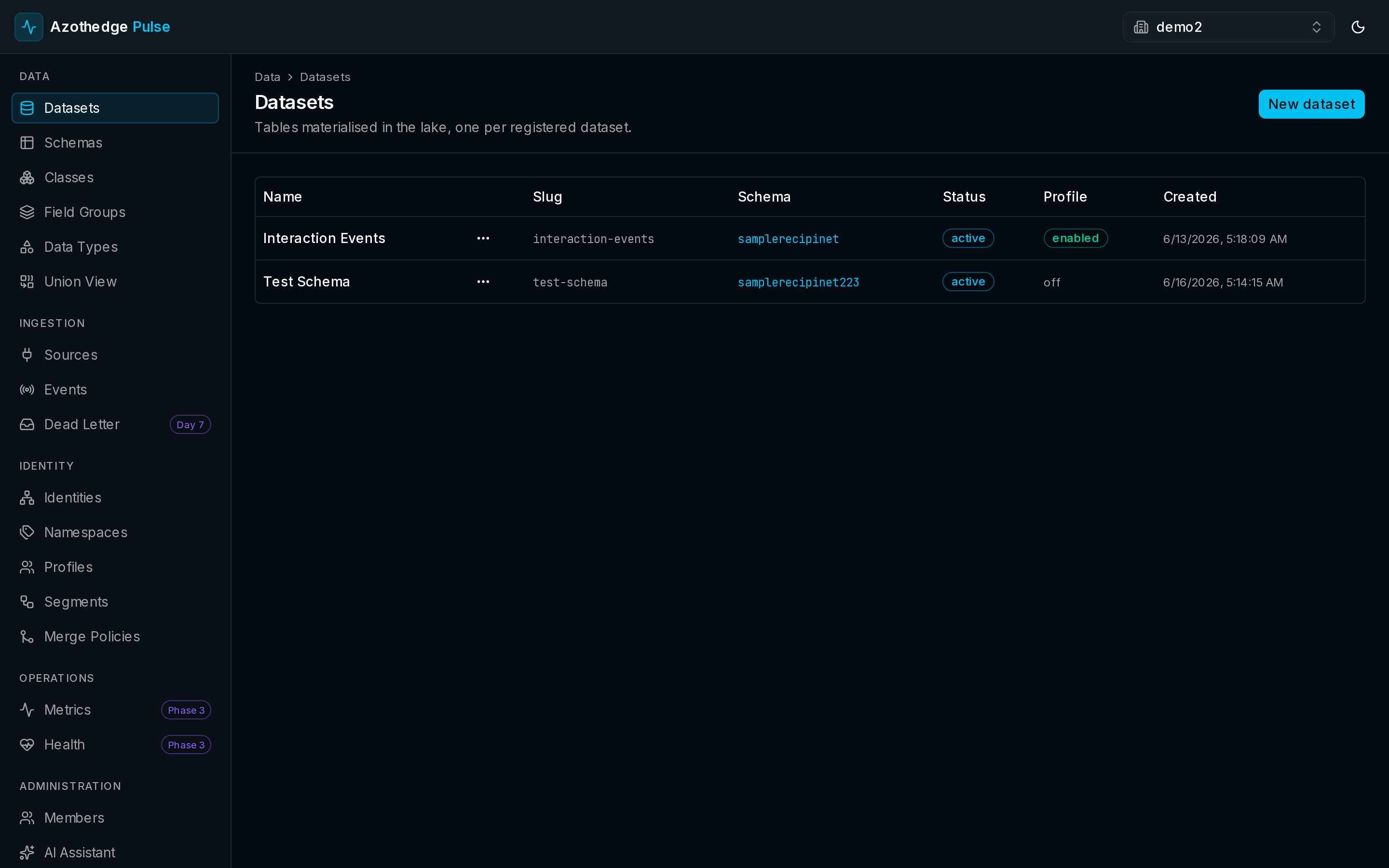
- In the left navigation, under Data, select Datasets.
- You'll see all of your datasets and a quick summary of each.
View a dataset's details
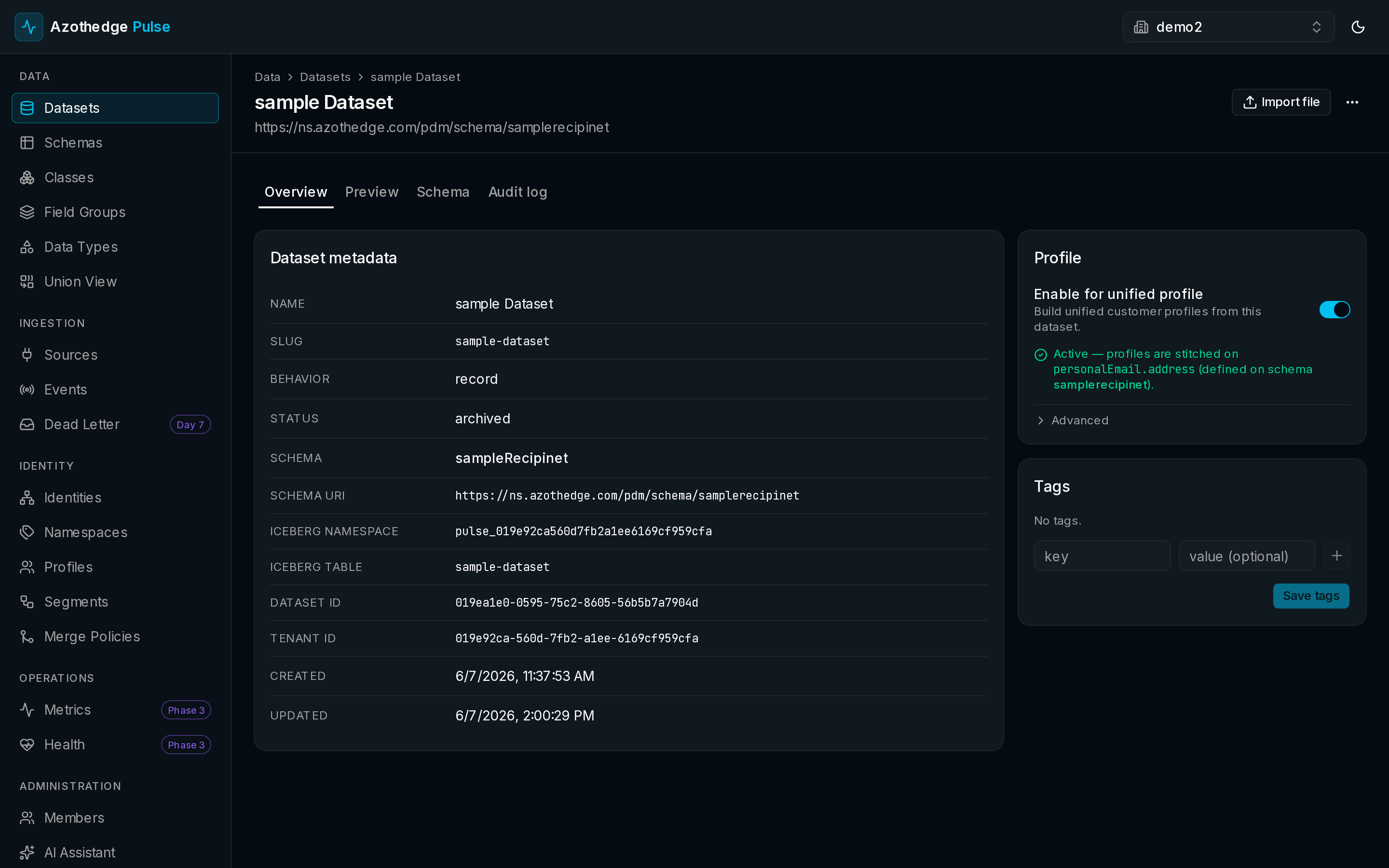
Select any dataset to open it. The detail view shows you:
- The schema it uses — the shape of the records inside.
- When it was created, and other key details.
- Whether it's currently building customer profiles.
Enable a dataset for unified profile
A dataset only shapes your customer profiles when you turn this on. It puts you in control: you decide which data should build the customer view and which should simply be stored.
- Open the dataset.
- Turn on Enable for unified profile.
From then on, the records in this dataset are united into customer profiles automatically.
Turn it on when you're ready
You can enable a dataset for unified profile at any time — for example, once you've confirmed the data looks right in Preview.
Preview your records
To check what's actually in a dataset, select Preview. You'll see a sample of the records as Pulse has stored them, so you can confirm the data arrived and looks the way you expect.
Tag and organize
Add Tags to a dataset to group and find your data more easily — for example, by source, by team, or by environment. Tags make a long dataset list much faster to navigate.
Pause or archive a dataset
When a dataset has served its purpose, you can:
- Pause it — temporarily stop new records from landing, without losing what's there.
- Archive it — retire a dataset you no longer use while keeping its history.
Next steps
-
Understand profiles
See how enabled datasets come together into a unified view of each customer.
-
About datasets
The ideas behind datasets and how they fit into Pulse.