View a customer profile
A profile is the single, unified view of one customer — assembled for you from across all your data. Viewing a profile is how you see the whole person: who they are, how to reach them, and what they've done. It's the quickest way to answer questions like "have we seen this customer before?"
This guide walks you through finding a customer and exploring their profile.
Before you start
Profiles are built automatically once your data is flowing and the relevant datasets are enabled — see Customer profiles for how that works.
Open the profiles list
- Sign in to Pulse at pulse.azothedge.com.
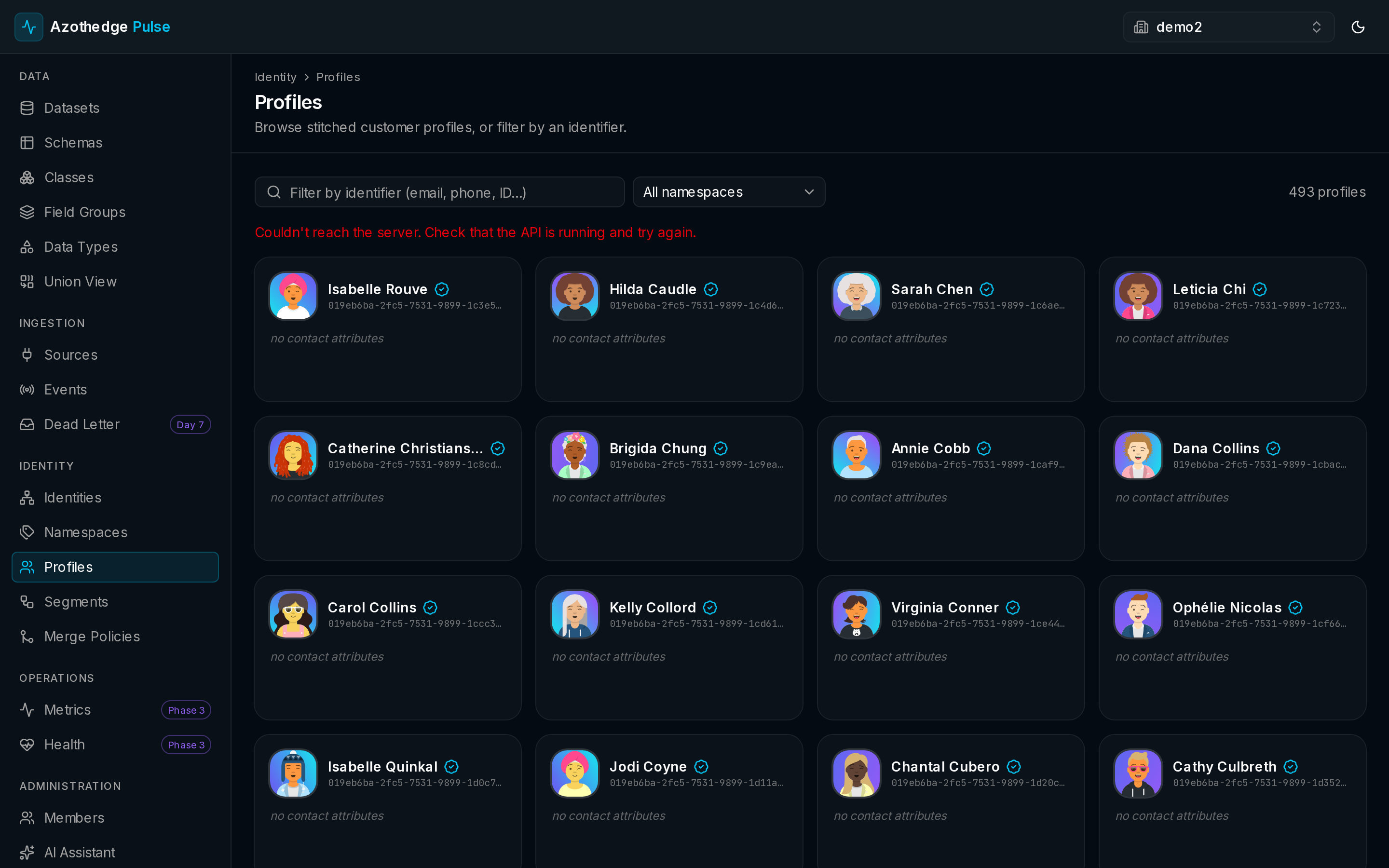
- In the left navigation, under Identity, select Profiles.
- You'll see your customers, ready to browse or search.
Find a customer
- Browse the list to scan through your customers.
- Or search for a specific person — for example, by an email address or name.
- Select a profile to open the full view.
One person, many identifiers
A customer might appear under an email today and a phone number tomorrow. Searching by any known identifier leads you to the same unified profile.
Explore the profile
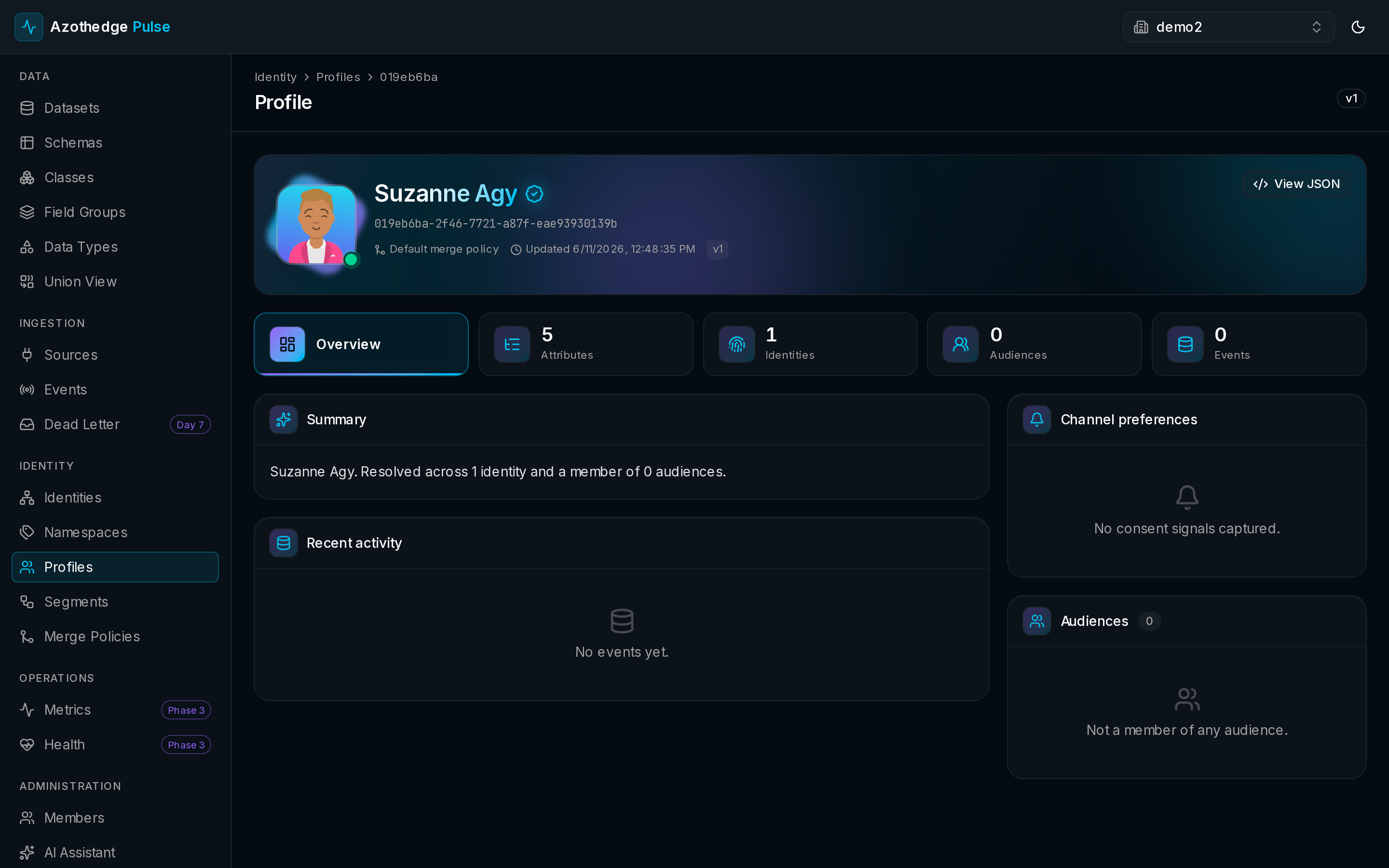
Each profile is organized into a few clear areas:
| Area | What it shows |
|---|---|
| Overview | A summary of the customer and their most recent activity. |
| Attributes | What you know about the person — name, location, preferences, and any other fields you collect. |
| Identities | The identifiers linked to this person, such as an email, a phone number, or a loyalty ID. |
| Audiences | The audiences this customer currently belongs to. |
| Activity | The events and interactions Pulse has recorded for them. |
Always current
A profile updates as new data arrives, so what you see reflects the latest you know about the customer — there's no refresh to wait for.
Next steps
-
How profiles work
The ideas behind the unified customer view and how Pulse keeps it current.
-
Build an audience
Turn what you know about your customers into a targetable group.